RATIO USER MANUAL
iPhone app: plans, workspaces and limits
Ratio plans (FREE, BASE, PRO, BIZ) are bought and changed on the website only. The app reads the plan from your account and applies the same limits as the web.
What changes with the plan
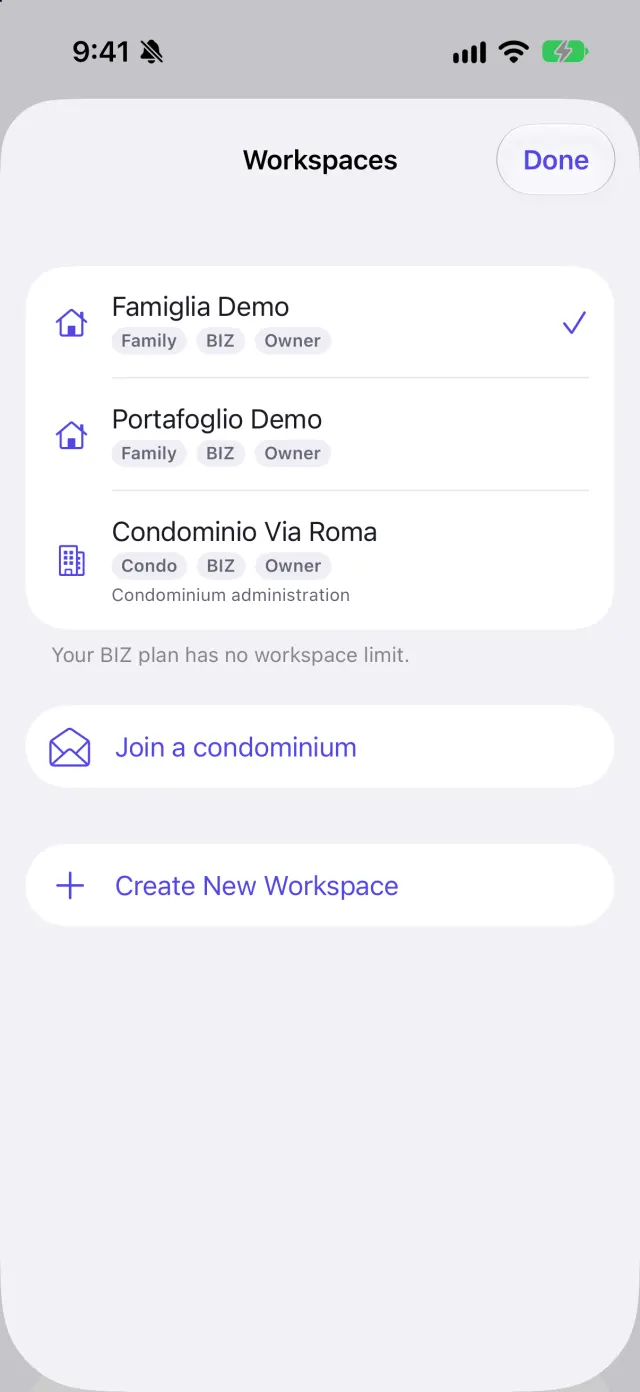
- Workspaces you can own: FREE 1, BASE 1, PRO 3, BIZ unlimited. Condominium workspaces are created with BIZ.
- Visible history: with FREE you see the last 12 months in lists, search and statistics; with the other plans, everything. On FREE, movements older than 18 months are deleted when you run a new import.
- Imports on FREE: one import a month (calendar month, Italian time), up to 500 rows. A larger file is refused whole: export a shorter period from your bank. In Settings → Your limits you see how much you have used and when it frees up.
- Bank Connector and Local AI: not included in the FREE plan.
- Statistics years: current year and 2 before with FREE and BASE, 5 with PRO and BIZ.
- Cash forecast: not on FREE, up to 60 days with BASE, up to 90 with PRO and BIZ.
- Net worth: liquidity only with FREE, investments and debts too from BASE.
Creating and managing workspaces
Tap the workspace name at the top. Here you can create a workspace (Create New Workspace: choose a name and the type), rename it, delete it (with confirmation) or switch to another. A new workspace starts empty: it does not show the data of the one you were looking at.
If the plan goes down
If you move to a lower plan, the workspaces the new plan does not cover are closed, for you and for invited members. In the list they appear as Closed by your plan. No data is deleted: going back to a plan that covers them reopens them. The oldest ones stay open up to the plan's limit. The same lock applies on the web and in the app. Movements you had before moving to FREE stay stored: only those created afterwards, and older than 18 months, are deleted by imports.
If the app tells you the workspace was closed by the plan while you were using it, switch to another workspace from the list.
Screenshots