RATIO USER MANUAL
iPhone app: Assets, Net worth and Categories
An asset ties movements to what you own or owe: a house, a mortgage, a securities account. You find Assets, Report, Categories and Rules in More.
Assets
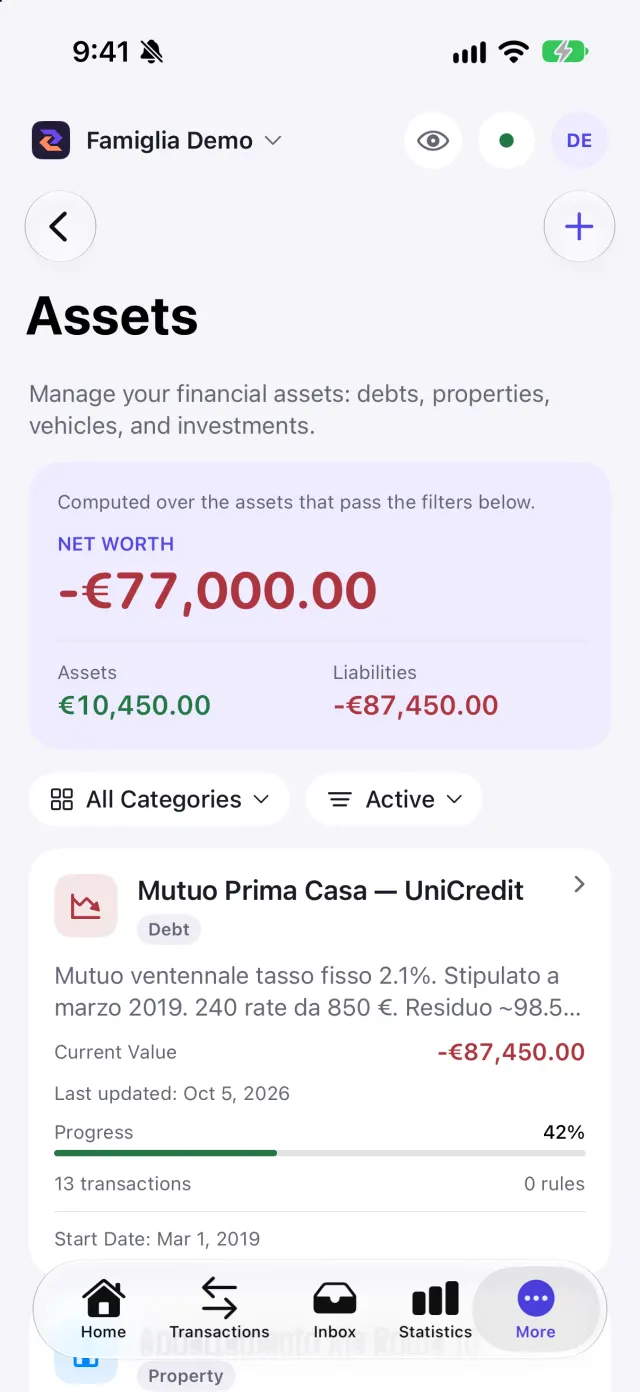
Create an asset with Create Asset: choose the type (Debt, Property, Vehicle, Investment, Other), the name, the starting value (negative for debts) and, if needed, start date, end date and notes. With Create from tag you pick a tag and the asset starts already linked to every movement carrying it.
The detail shows the current value, the monthly flow, the linked movements and, for debts, the progress. Inactive assets stay linked to movements but do not appear in reports. You can filter the list by category and status.
Net worth adds up the assets that pass the filters. On the FREE plan net worth counts liquidity only; investments and debts start from the BASE plan.
Categories
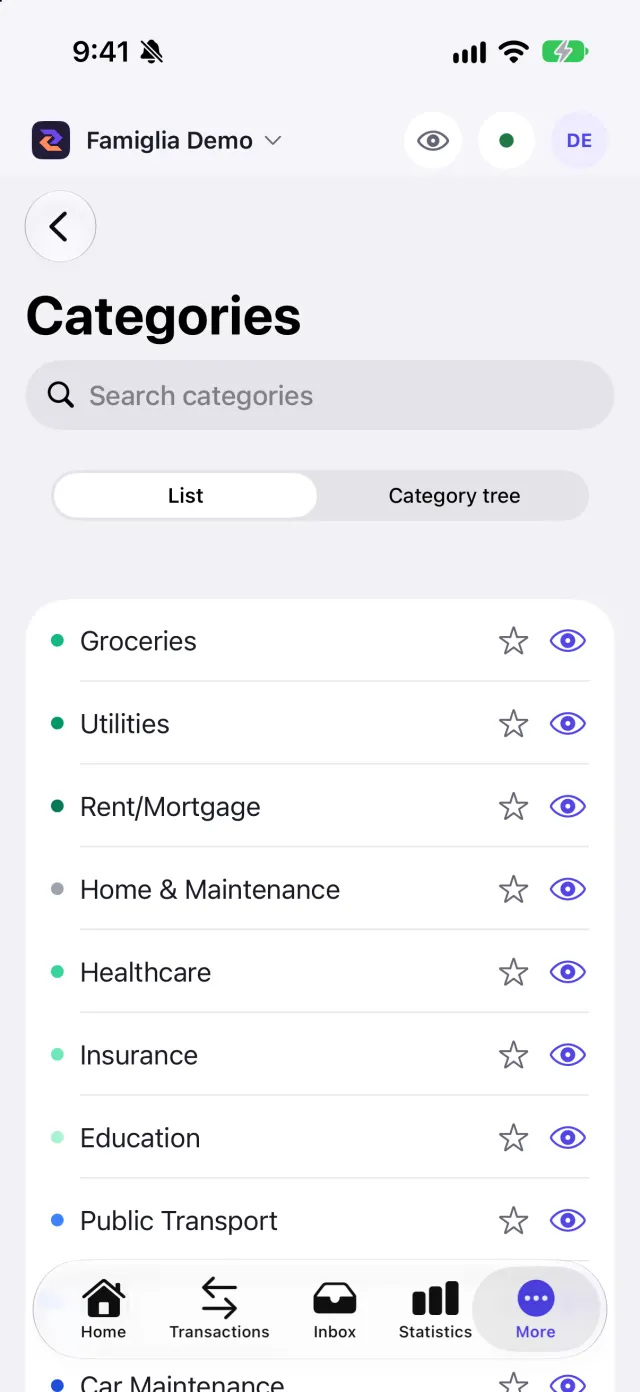
In More → Categories you see the Category tree (in List or View mode). You can search, create a custom category with a name, colour and parent category, add to favourites and Hide in selectors: hidden categories stay in history, filters and statistics, but no longer appear when you pick a category.
Screenshots