RATIO USER MANUAL
iPhone app: Statistics and Report
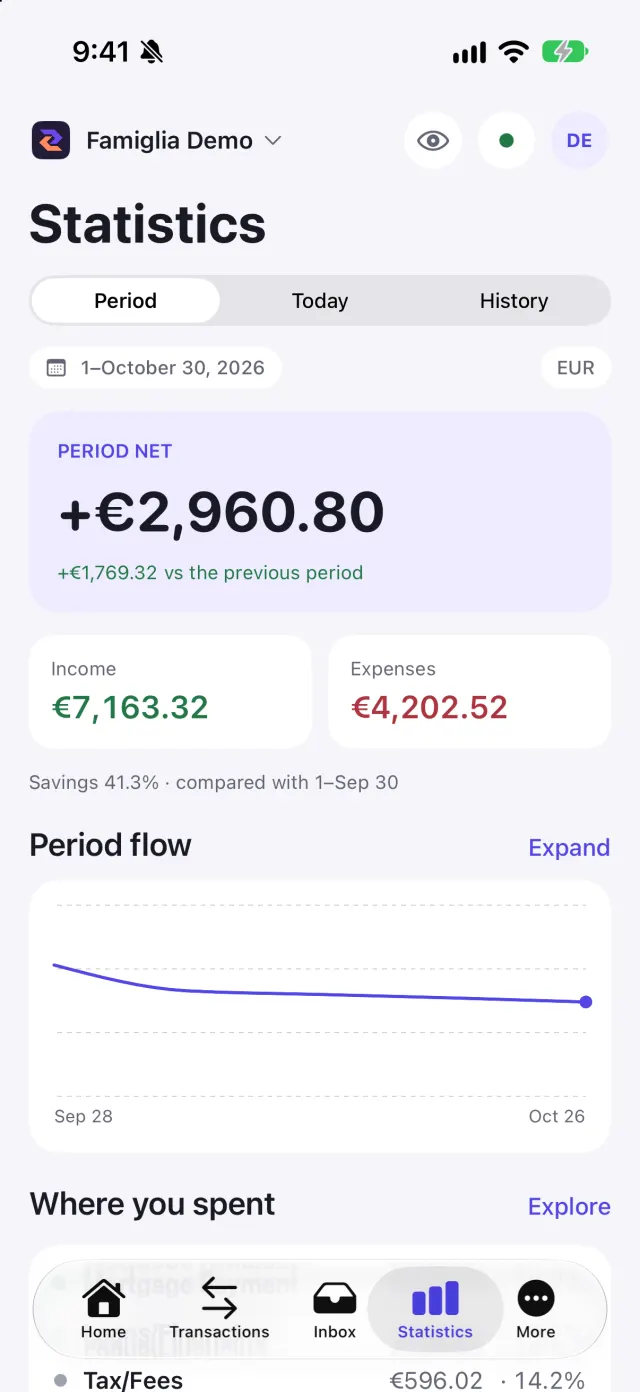
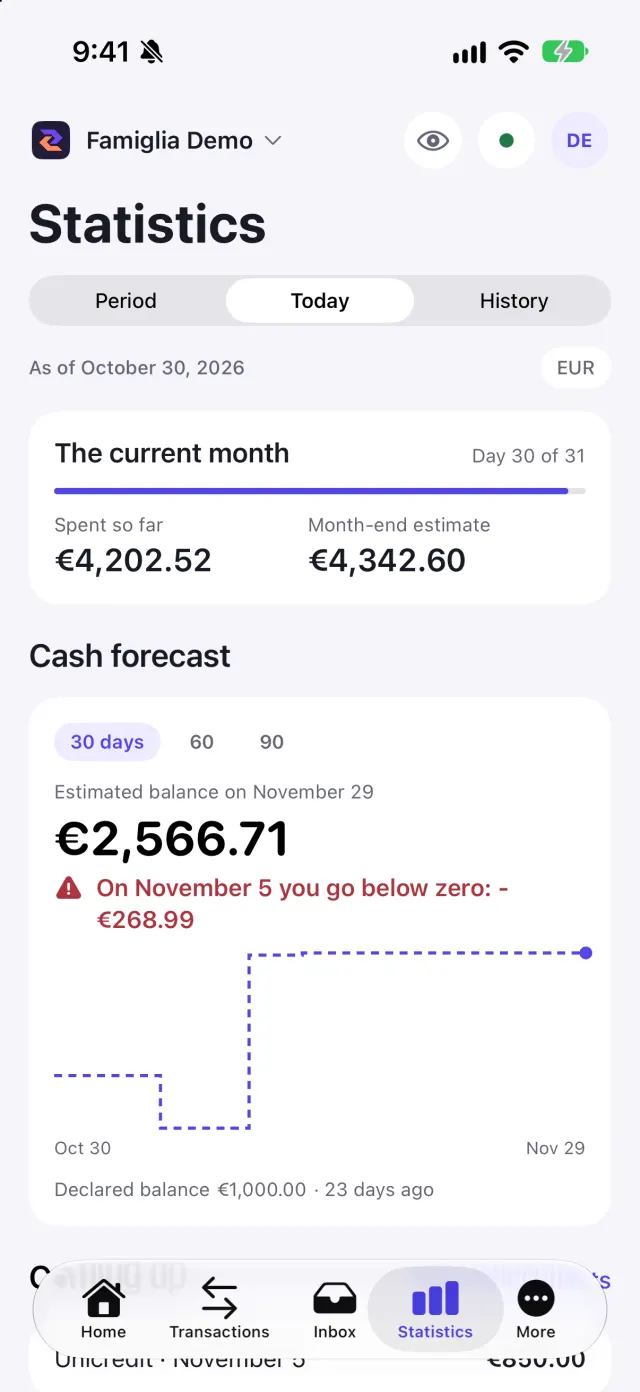
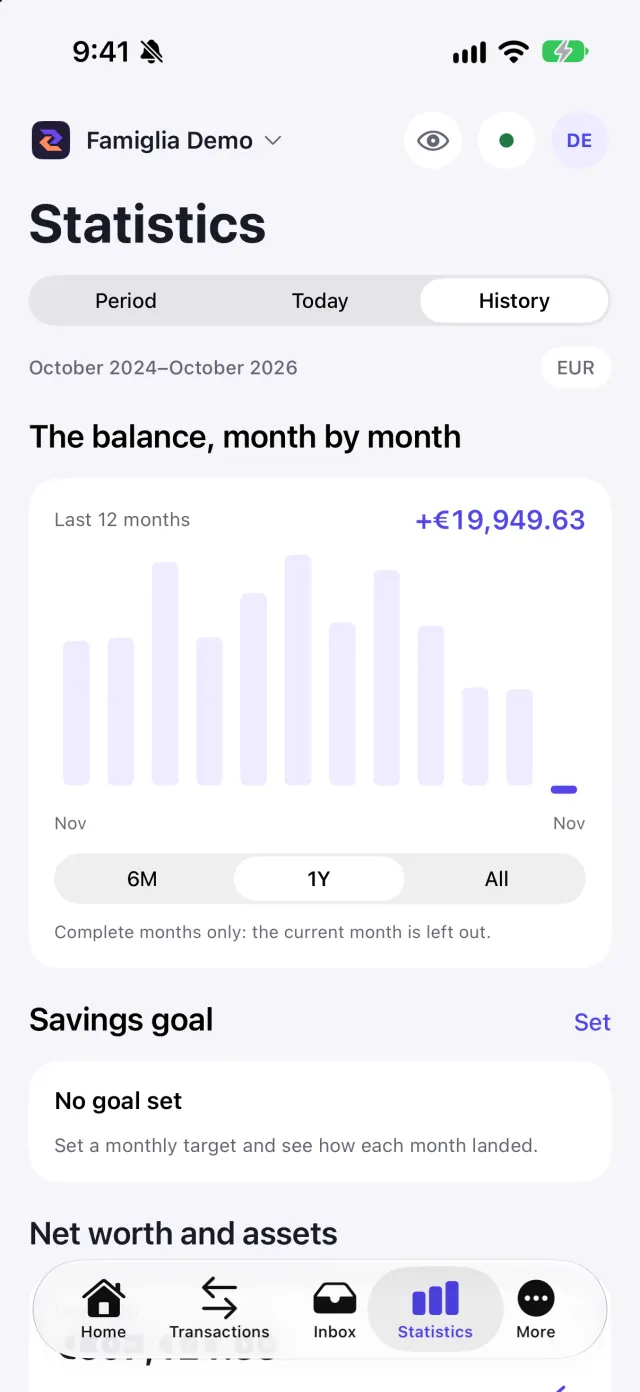
The Statistics tab has three views: Period, Today and History. Everything is calculated on the phone from the data already downloaded, with the same rules as the web (for example transfers and investments do not count as spending).
Period
Choose the month, the year or a custom range (both dates are included). You find:
- income, expenses and net of the period, compared with the previous period;
- Where you spent: the main categories, which you can expand for details and merchants;
- Why it changed: what grew or fell compared with the previous period;
- New in this period: items that were not there before.
Tap a card to open its detail and the movements behind it, and jump to Transactions.
Today
The view of the current month: the commitments coming up in the next 30 days (Coming up, expected income and outgoings) and, if you set a Starting balance with its date, the day-by-day balance forecast. The cash forecast is available from the BASE plan: on FREE you see a notice.
History
The balance month by month, on complete months only (the current one is left out). You can set a monthly Savings goal: every member of the workspace sees it.
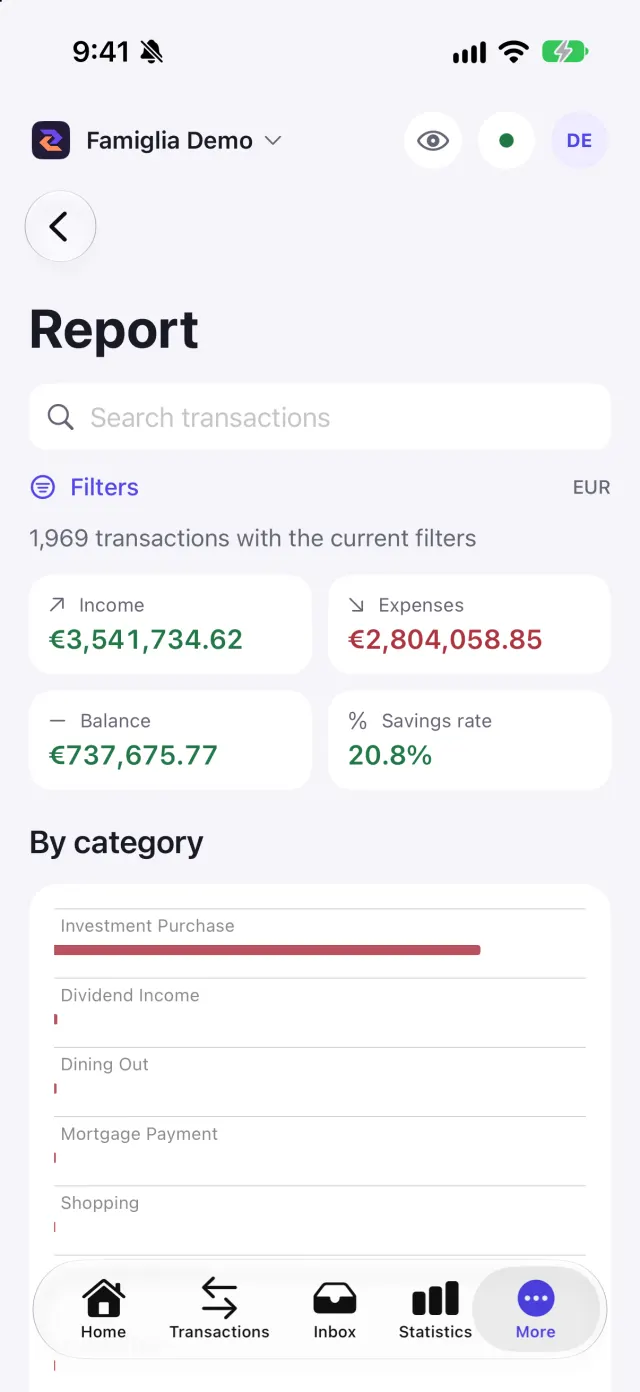
Report
In More → Report you get a month-by-month summary of income, expenses and balance, based on the filters applied in Transactions. Use Search transactions and the filters to choose what to include, for example a holiday or a set of categories.
If statistics do not appear
On a brand-new workspace you see "Statistics appear once the workspace has movements". After Clear cache and refresh the statistics come back on their own when the download ends; if they stay still, close and reopen the app.
Screenshots