RATIO USER MANUAL
Bank Inbox: review transactions before importing
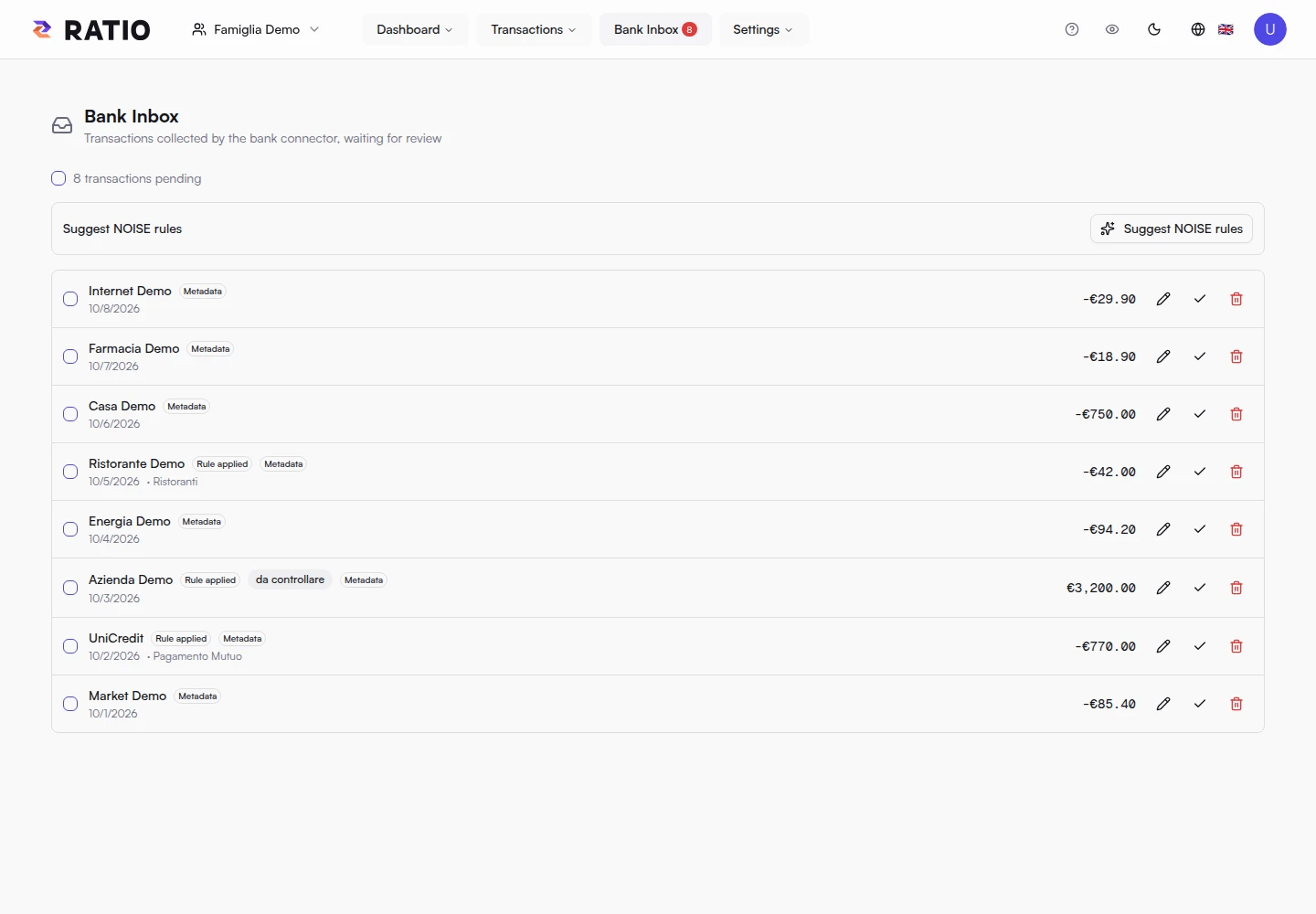
The Inbox collects transactions sent by the Bank Connector and displays them after decryption on your device. It is a review area: rows here are not yet regular transactions in the workspace.
Review a transaction
Check the description, merchant, date, amount and category. Select the pencil to edit fields and add notes or metadata. Select multiple rows and use Metadata to apply shared information, such as tags or investment details.
Active rules can fill the category, description, merchant, tags and asset. Select one or more rows and choose Reapply rules to recalculate them with current rules. Review the result: rules may replace some fields. These edits stay on the page until import; reloading the Inbox discards unsaved changes.
Import or discard
After review, select the rows and choose Commit selected. Ratio encrypts the data on your device and creates regular workspace transactions; imported rows disappear from the Inbox. For one row, use its checkmark button.
Discard selected removes pending rows without converting them into transactions. Review carefully before discarding. If unsure, leave a row in the Inbox and return to it later.
The Inbox is separate from Transactions: import only what you have checked. The connector can collect new transactions later; manage sync status and linked accounts on the Bank Connector page.
Screenshots